使用vue-element-admin前端项目,前提是有nodejs环境,对于此环境的安装可以参考网上的博客。此博客用于记录启动项目以及遇到的问题、并解决问题的过程。
1、介绍
vue-element-admin是基于element-ui 的一套后台管理系统集成方案 。
功能:https://panjiachen.github.io/vue-element-admin-site/zh/guide/
GitHub地址:https://github.com/PanJiaChen/vue-element-admin
项目在线预览:https://panjiachen.gitee.io/vue-element-admin
vueAdmin-template是基于vue-element-admin的一套后台管理系统基础模板(最少精简版),可作为模 板进行二次开发。
GitHub地址:https://github.com/PanJiaChen/vue-admin-template
可以使用git去github上进行clone,以vue-element-admin为例
新建一个文件夹,右键找到git bash,输入指令:
git clone https://github.com/PanJiaChen/vue-element-admin.git2、运行项目
可以使用vscode打开vue-element-admin项目,找到terminal,在里面直接运行npm run dev,此时会报错,XXXXX-cli等问题,意味着此时没有下载相应的依赖,因此执行命令行:
npm install此时会报错提示
npm ERR! The operation was rejected by your operating system.
npm ERR! It's possible that the file was already in use (by a text editor or antivirus),
npm ERR! or that you lack permissions to access it.
rejected....,仔细查看发现是没有权限的问题,那么就是使用管理员的身份打开cmd控制台,进入到vue-element-admin文件夹下,再次执行npm install 指令,此时可能会报错以下的错误:
npm ERR! code 128
npm ERR! An unknown git error occurred
npm ERR! command git --no-replace-objects ls-remote ssh://git@github.com/nhn/raphael.git
npm ERR! git@github.com: Permission denied (publickey).
npm ERR! fatal: Could not read from remote repository.
npm ERR!
npm ERR! Please make sure you have the correct access rights
npm ERR! and the repository exists.

npm ERR! A complete log of this run can be found in:
仔细读取提示信息,百度尝试解决,得到一共有三种方法
方法一:
git config --global http.sslverify "false"
再次执行npm install ,依然没有解决
方法二:
git config --global url."https://";.insteadOf git://
再次执行npm install ,依然没有解决
使用以上方法,可能对于部分人来说,可以解决问题,但是我的依然存在问题。
方法三:
桌面右键,git bash here 输入以下 ssh-keygen -t rsa -C “xxxxxx@qq.com” 如下图
ssh-keygen -t rsa -C “123456@qq.com”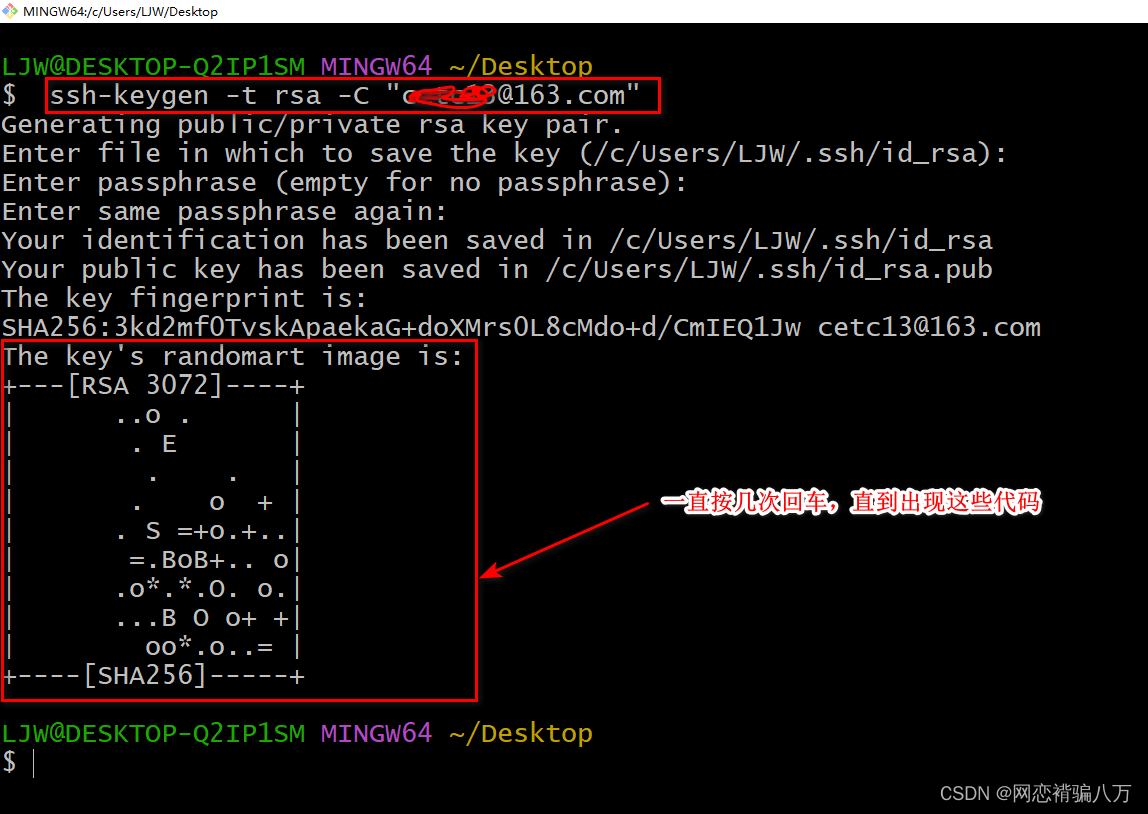
下一篇:前端页面后端代码查找指南
